Seamless Music Acquisition with Promo Only Integration and Myriad Playout & Automation
![[HERO] Seamless Sounds: Myriad Playout v6.9 Adds Direct Promo Only Integration](https://irp.cdn-website.com/3bcc3595/dms3rep/multi/opt/POOL3-1920w.png)
Your daily music management workflow is about to get a lot faster. Broadcast Radio is proud to announce a major new partnership with Promo Only, the industry-leading music subscription service. This collaboration brings direct music downloads and automated ingestion directly into Myriad Playout & Automation, starting with the upcoming v6.9 release.
Managing a music library has traditionally been one of the most time-consuming tasks for any station manager or head of music. Between sourcing new releases, downloading files, converting formats, and manually entering metadata, the "simple" act of adding a new hit to your rotation can take significant effort. This new integration changes that narrative completely.
By bridging the gap between a premier music provider and your radio automation software, we have eliminated the friction of manual file handling. You can now browse the latest global releases and pull them into your library with a few clicks, fully processed and ready for air.
Direct Access via the Import Wizard
The core of this integration lives within the Myriad Playout & Automation Import Wizard. We have designed the experience to be as native as possible, ensuring that your workflow remains uninterrupted while you hunt for the latest tracks.
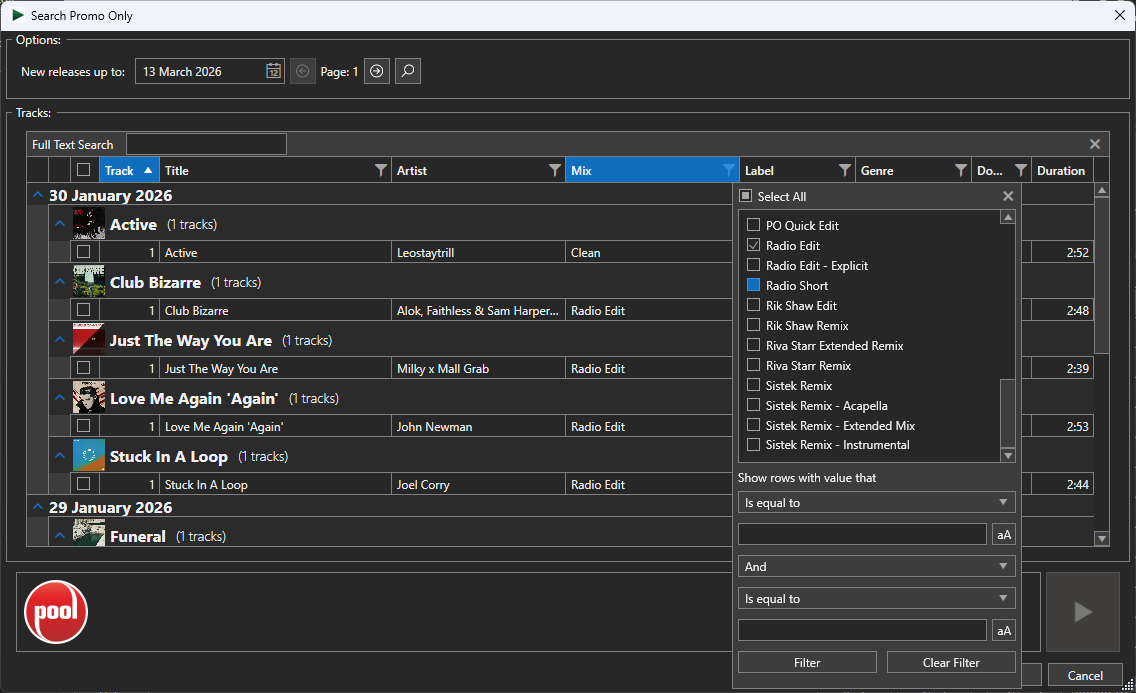
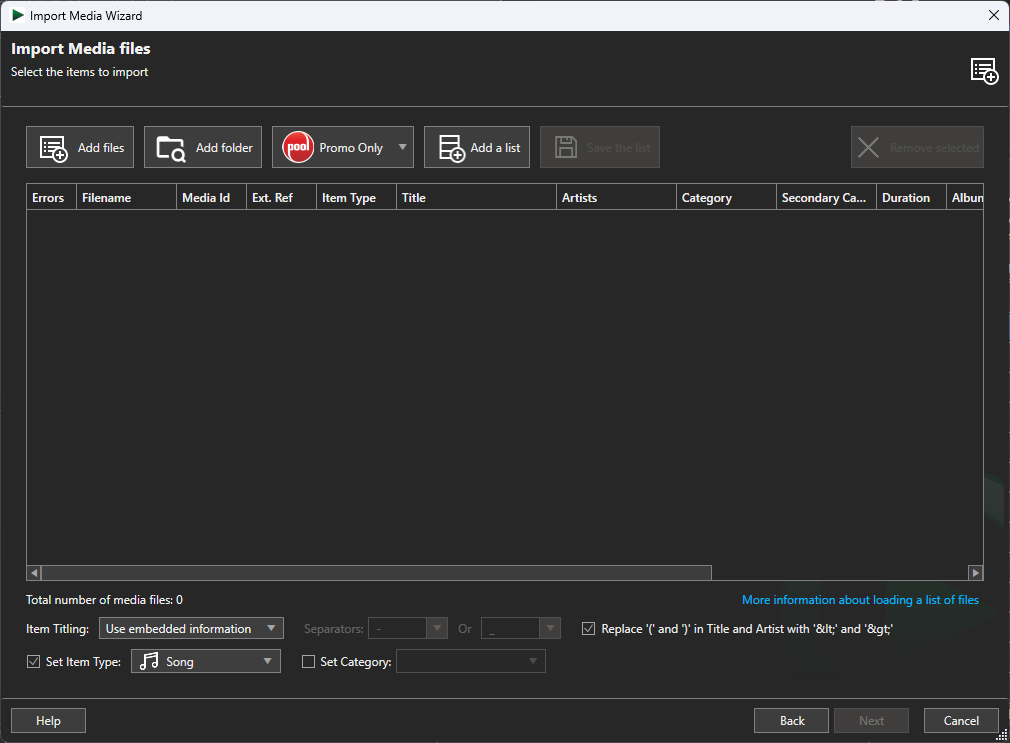
Once you have entered your Promo Only credentials, a new "POOL" (Promo Only Online) button appears within the Wizard. This serves as your direct portal to the Promo Only library, covering their extensive catalogues across the UK, Europe, the US, and Canada. You no longer need to switch between web browsers and your playout system to keep your library current.
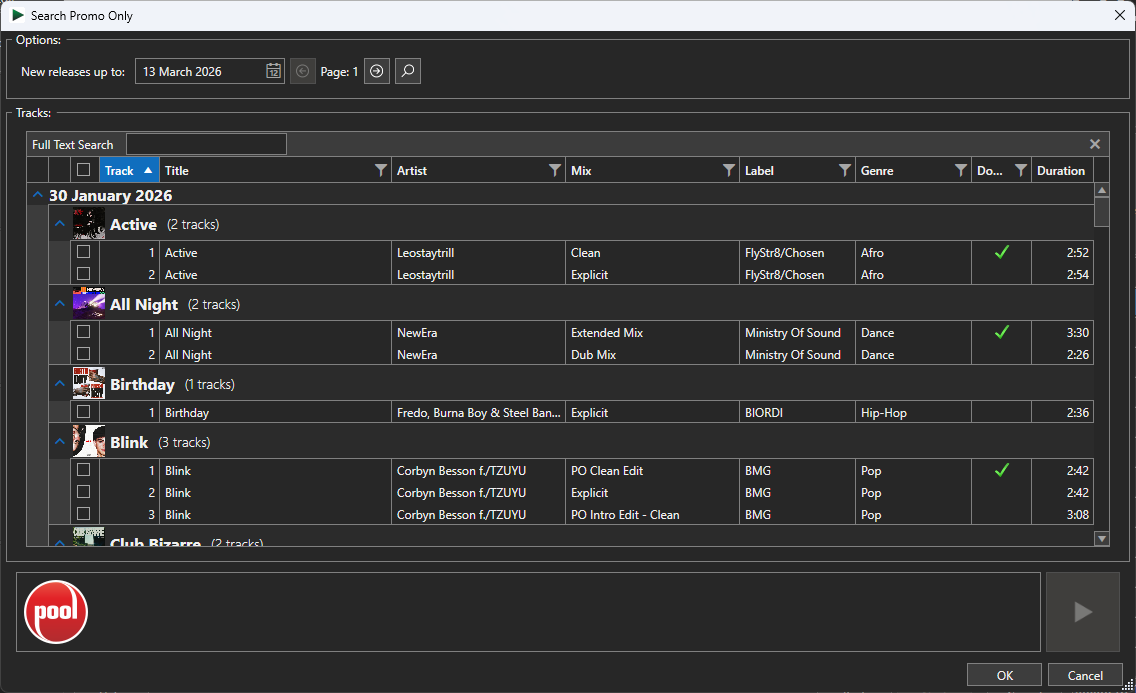
- Integrated Browsing: Access the latest POOL releases without leaving the Myriad interface.
- Real-time Previews: Listen to tracks before you commit to a download to ensure it’s the right mix for your station.
- Visual Status Indicators: Clearly see which tracks you have already downloaded to avoid duplicates and save storage space.
- Filtered Searching: Quickly sort by genre, mix type, or release date to find exactly what your listeners want.
Total Automation of the Ingestion Process
Downloading a file is only half the battle. Professional radio software requires specific metadata and audio conditioning to ensure a consistent sound on-air. The v6.9 integration handles the technical heavy lifting automatically as soon as you hit "Download."
When a track is selected from the POOL interface, Myriad Playout & Automation takes over the entire processing chain. It downloads the high-quality audio file and immediately begins a series of automated steps designed to prepare the track for professional broadcast.
Intelligent Metadata and Tagging
Your radio scheduler relies on accurate data to build perfect logs. During the import, Myriad automatically applies all relevant metadata provided by Promo Only. This includes the artist name, track title, and album artwork. Furthermore, the system includes ISRC codes where available, which is vital for accurate royalty reporting and compliance.
Audio Conditioning and Normalization
Consistency is the hallmark of a professional station. To maintain this, Myriad automatically normalizes the audio levels of every imported track according to your specific station presets. This ensures that a quiet acoustic ballad and a high-energy dance track sit perfectly together in the mix without the DJ needing to touch a fader.
Precision Trim and Extro Settings
Silence at the start of a track is the enemy of tight broadcasting. The integration automatically detects and removes silence from the beginning of every download. It also sets the "Extro" time: the point where the next item in your log should begin: ensuring seamless transitions every time.
A Partnership Built for Broadcasters
This collaboration brings together two companies with decades of experience in supporting the radio industry. Promo Only has long been the gold standard for providing broadcast-ready music to professional DJs and radio stations, while Broadcast Radio continues to push the boundaries of what radio automation software can achieve.
Nick James Hahn, Director of Marketing & Distribution from Promo Only Inc, highlighted the synergy between the two brands:
“Promo Only and Broadcast Radio have been at the forefront of their field for decades, so it’s great to collaborate for this unique integration. We always promise a simple and great value way for stations to obtain their music, and this new offering takes things to the next level with everything just a few clicks away. Whilst many of our customers will benefit as Myriad 6 users, new joiners can snap up our chart services for a nominal monthly fee and get a free gift of back-catalogue hits.”
High-Quality Audio for High-Quality Stations
Radio professionals know that bit-rate matters. Promo Only provides a wide range of file options to suit any broadcasting need, from uncompressed WAV files for maximum fidelity to lossless M4A and high-quality MP3s.
Whether you are running a community station or a large-scale commercial network, having access to uncompressed audio directly within your radio software ensures your output remains pristine. The integration supports these high-quality formats, allowing Myriad to pull the best possible version of a track directly into your Media Library.
Diverse Genre Coverage
The Promo Only catalogue isn't just about the Top 40. The service offers a massive range of specialist genres, including:
- Contemporary Hits: The latest chart-toppers from around the world.
- Rock & Alternative: Essential tracks for guitar-driven stations.
- Country: Comprehensive coverage of both new and classic country hits.
- Specialist Mixes: Clean radio edits, extended mixes, and club versions to suit different dayparts.
Seeing it in Action
Efficiency is best demonstrated, not just described. We have prepared a short video demonstrating exactly how the new POOL integration works within the Myriad Playout & Automation v6.9 environment.
You can watch the full demonstration here: https://youtu.be/0fdJ5S0KOhQ
As you will see in the video, the ability to select multiple tracks and import them in a single operation drastically reduces the time spent on "admin" tasks, allowing your team to focus on creating great content and engaging with your audience.
Why This Matters for Your Station
Every minute saved in the production office is a minute that can be spent on creative programming. By using this integration, you are not just buying a feature; you are investing in a more streamlined operation.
For users of Myriad 6 Schedule Pro, this integration is particularly powerful. Once the music is in the library with the correct metadata and categories, your scheduler can immediately begin placing those tracks into logs with total confidence that they will sound perfect on-air.
Cost-Effective Integration
We believe that professional tools should be accessible. That is why this integration is available at no additional cost to Myriad users. While you will need an active subscription to Promo Only to access their music catalogue, the software bridge itself is included as part of your standard Myriad Playout & Automation v6.9 update.
How to Get Started
The direct Promo Only integration will be officially launched with the Myriad Playout & Automation v6.9 release. We are excited to announce that this version will be entering beta testing very soon.
If you are already a Myriad 6 user, keep an eye on our support pages for announcement dates regarding the beta and the final release. If you are new to the Myriad ecosystem and want to learn more about how our software can transform your station, you can read more about us and our commitment to broadcasting technology.
Subscription Information
To take full advantage of this feature, you will need a valid Promo Only subscription. You can explore their various service tiers at their regional websites:
- UK & Europe: https://promoonly.uk
- United States: https://promoonly.com
- Canada: https://promoonly.ca
Future-Proofing Your Broadcast
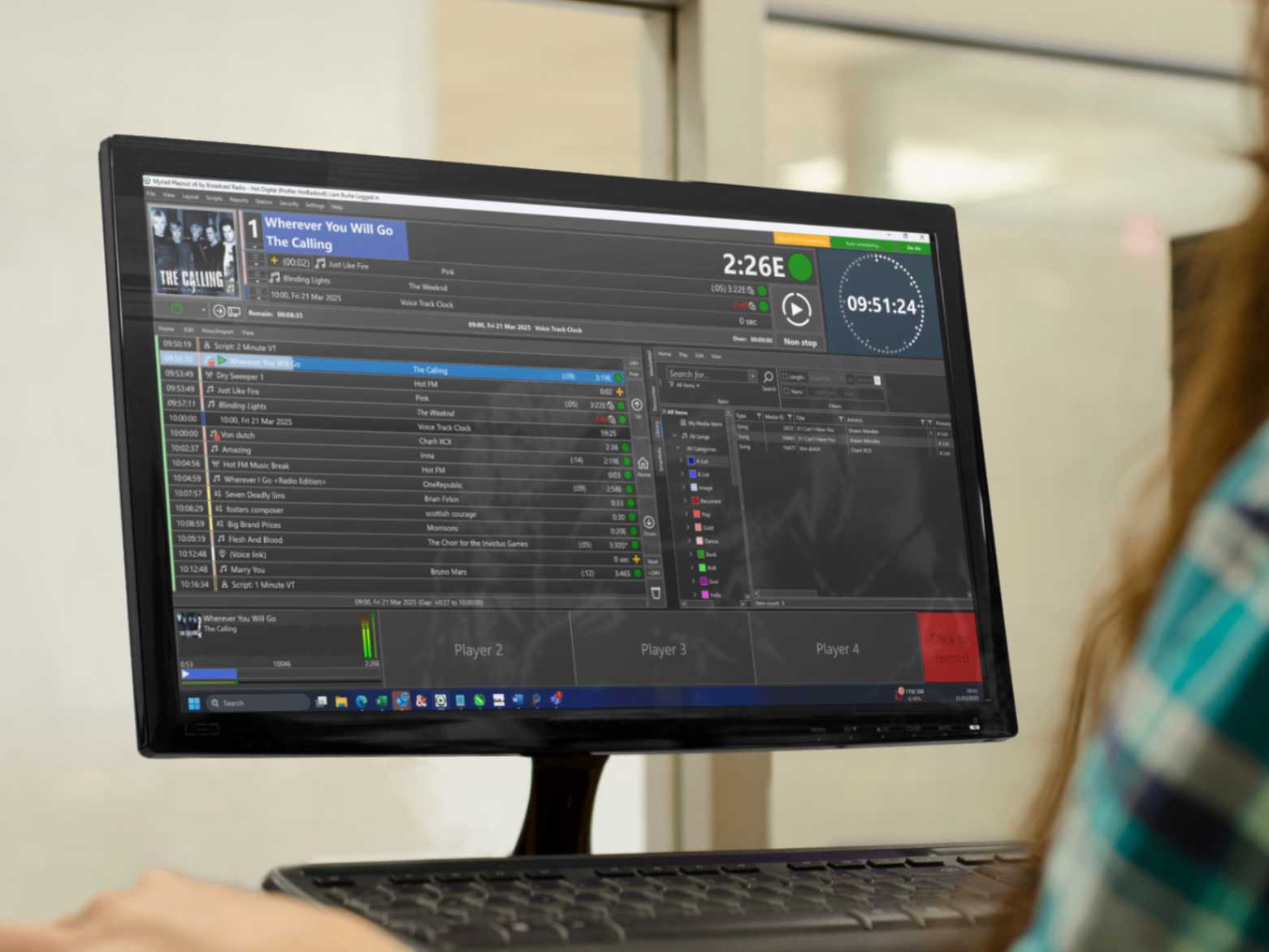
At Broadcast Radio, we are constantly looking for ways to make the lives of broadcasters easier. Whether it’s through native integrations like this one or expanding our remote control support, our goal is to provide a complete, end-to-end solution for modern radio.
The partnership with Promo Only is just the latest step in our mission to provide the most integrated and user-friendly radio automation software on the market. By automating the mundane and technical aspects of music ingestion, we empower you to do what you do best: entertain and inform your listeners.
Stay tuned for more updates on v6.9, and get ready to experience a more seamless way to manage your station's sound. If you have any questions about how this integration can work for your specific setup, feel free to send us a message.
The body content of your post goes here. To edit this text, click on it and delete this default text and start typing your own or paste your own from a different source.