Turn listener requests into part of your live workflow with Myriad 7
Myriad 7 connects the listener experience directly with scheduling and playout, giving stations a practical way to make requests part of everyday broadcasting without relying on a patchwork of separate platforms.
At a glance: stations choose which songs can be requested, publish them through connected listener platforms, and decide whether approved requests are placed automatically, reviewed first or handled manually by a presenter.
Requests should feel like part of the station, not an add-on
Song requests are nothing new, but delivering them digitally has often meant connecting several third-party systems. The listener searches in one place, the message arrives somewhere else, and the presenter has to monitor another screen before manually working the song into the programme.
Listener Requests in Myriad 7 brings that journey into the Broadcast Radio platform. Listeners can browse or search a station-controlled selection of songs through the Broadcast Radio Web Player and, where used, the station website and mobile apps. Their request then flows into Myriad Playout for review and potential placement in the Log.
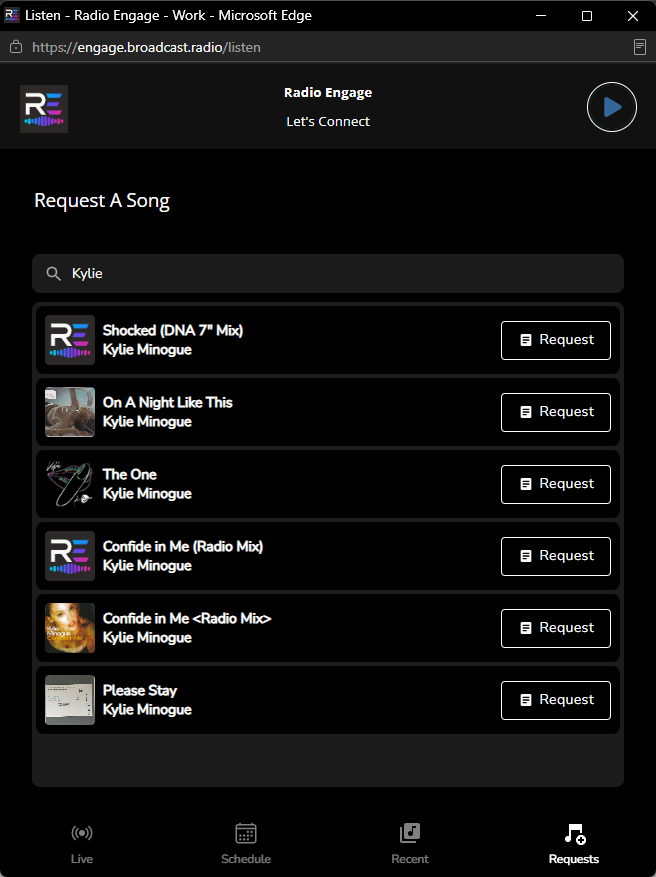
Listeners can search a curated catalogue and request a song directly from the Broadcast Radio Web Player.
Start with a catalogue the station controls
The first broad step is to connect the Broadcast.Radio platform to the station and define the music that listeners are allowed to request. Rather than exposing the entire Media Library, stations build a curated list using the Song Categories and Attributes already configured in Myriad.
That list can be as broad or as tightly controlled as required. A station might include songs carrying a dedicated “requestable” Attribute, exclude categories such as Christmas, instrumentals or fillers, and temporarily pause individual titles when needed. For Myriad Schedule Pro users, Future Moves can even help remove and later restore request-related Attributes automatically, providing a useful way to rest frequently requested songs.
The result is listener choice within the station’s own programming framework. The audience gains a meaningful way to influence the output, while the music team retains control over what can be selected.
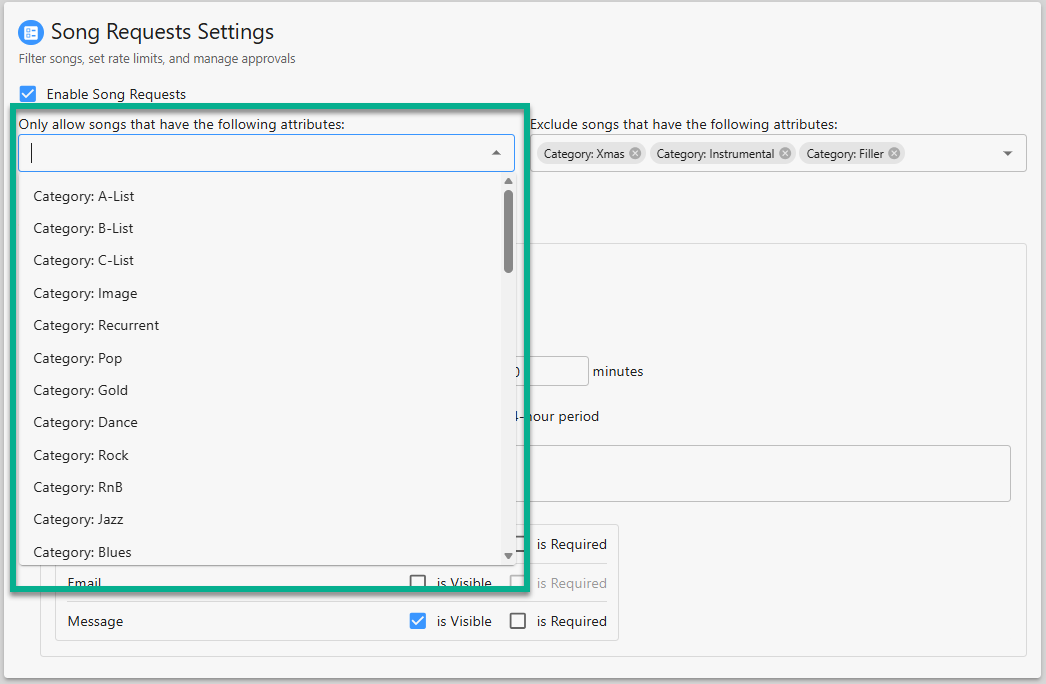
Categories and Attributes can be used to include or exclude music from the requestable catalogue.
Shape the listener experience
Once the catalogue is ready, Listener Requests can be enabled in the Broadcast Radio Web Player. The listener sees a dedicated Requests tab, searches by artist or title, selects a song and can add a short message before submitting it to the station.
Stations can decide whether to ask for a name or email address, whether those fields are optional or required, and what confirmation message appears after a successful submission. Rate limits and repeat-request detection help prevent one listener from overwhelming the system, while still keeping the process simple for genuine users.
These controls allow the request experience to reflect the station’s audience and policies, rather than forcing every broadcaster into the same model.
Choose the right level of control
Different stations—and even different shows on the same station—will want to handle requests differently. Myriad 7 supports three complementary approaches:
- Automated placement. Approved requests can replace eligible Song positions in the Log as playout approaches them. Replaceable positions can be designed into Clocks or marked directly in the Log, allowing listener choices to become part of the schedule without rebuilding the hour.
- Semi-automated placement. Requests wait in the Review queue until a presenter, producer or other authorised user approves or rejects them. Approved requests can then be placed into the next eligible position automatically.
-
Manual placement.
Presenters can drag a request directly into the Log or use it to replace an existing item, giving them complete control over when—and whether—it fits the programme.
These methods are not mutually exclusive. A station can automate the routine flow, retain approval for particular programmes, and still allow presenters to pick individual requests manually when the moment feels right.
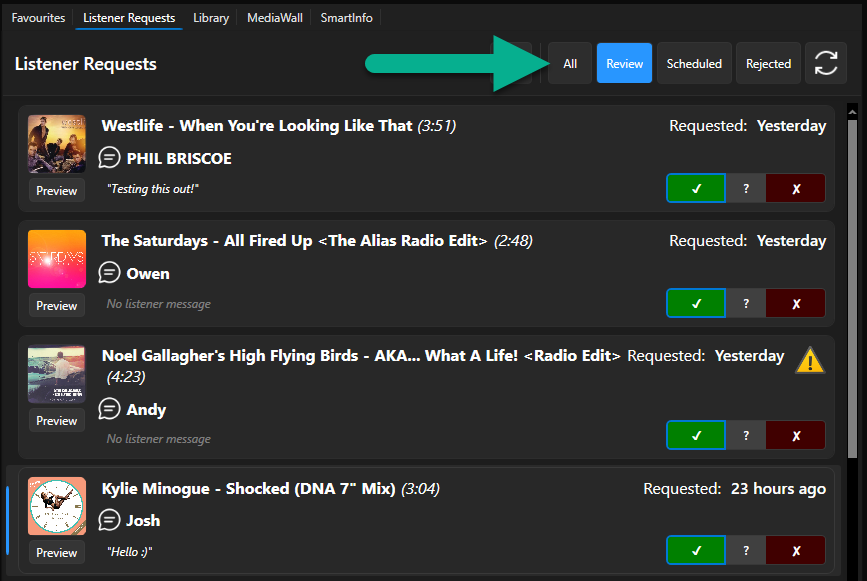
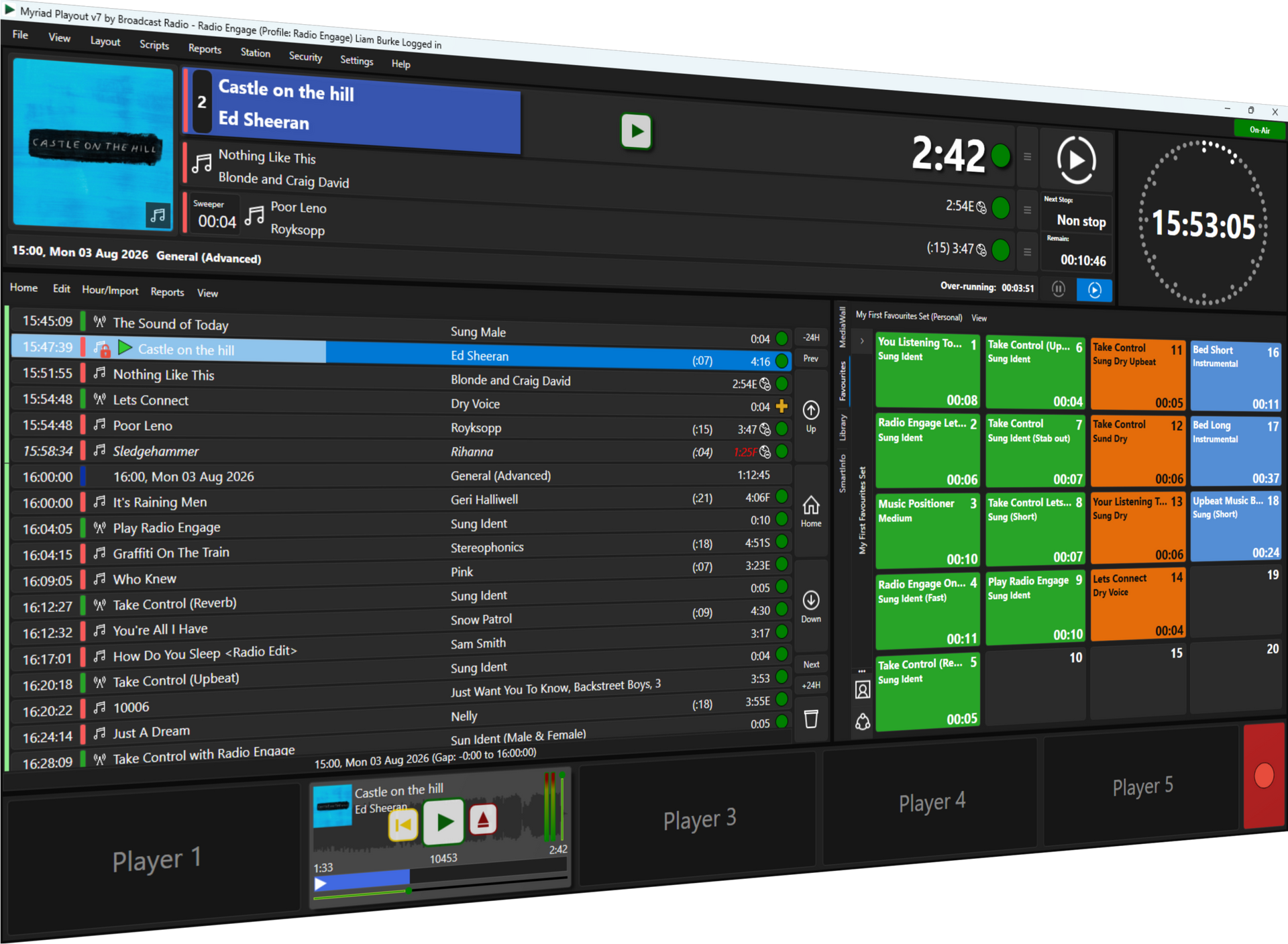
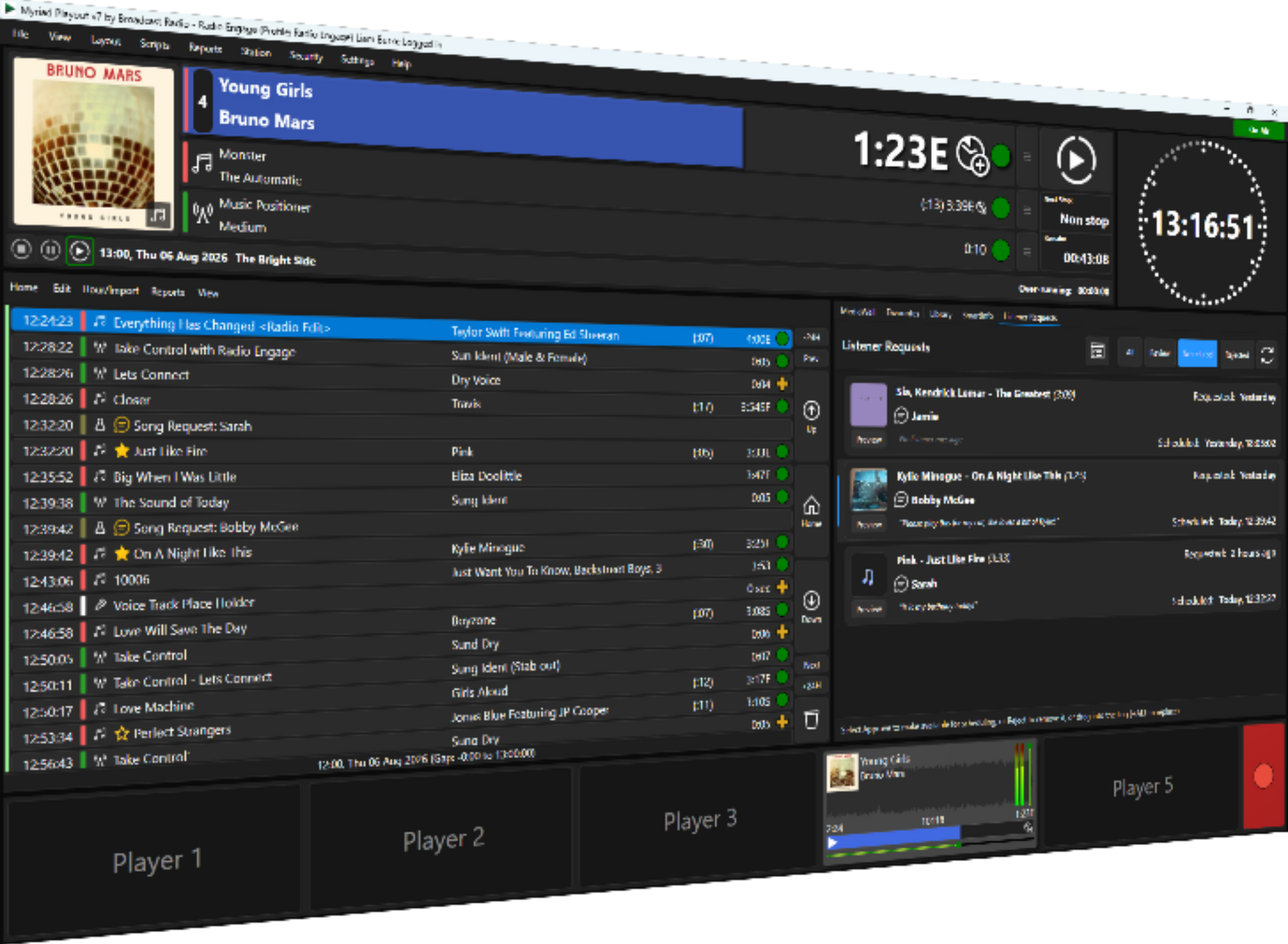
The Listener Requests tile gives presenters access to Review, Scheduled and Rejected queues inside Myriad Playout.
Built-in safeguards protect the schedule
Automation does not mean abandoning normal programming discipline. When Myriad considers an approved request for automatic placement, it can check for nearby plays of the same song or artist. A request that would create an unwanted repeat is held in the queue until it becomes eligible, while another suitable request can be used instead.
Stations can also limit how old a request may be before it is considered for a particular replaceable position. Automatic placement remains subject to local compliance requirements, so broadcasters can select a workflow that fits their regulatory and operational needs.
The request—and the listener—arrives in the studio
The most important part of the workflow is what happens once a request reaches Myriad Playout. Requests are managed through clear Review, Scheduled and Rejected queues, so the team can see what is waiting, what has been accepted and what has already been placed in the Log.
When a request includes a listener message, Myriad adds it to the Log as a Script item alongside the requested song. The presenter can access it through SmartInfo without watching a separate messaging platform. That makes it much easier to acknowledge the listener naturally on air and turns a simple music choice into a more personal moment.
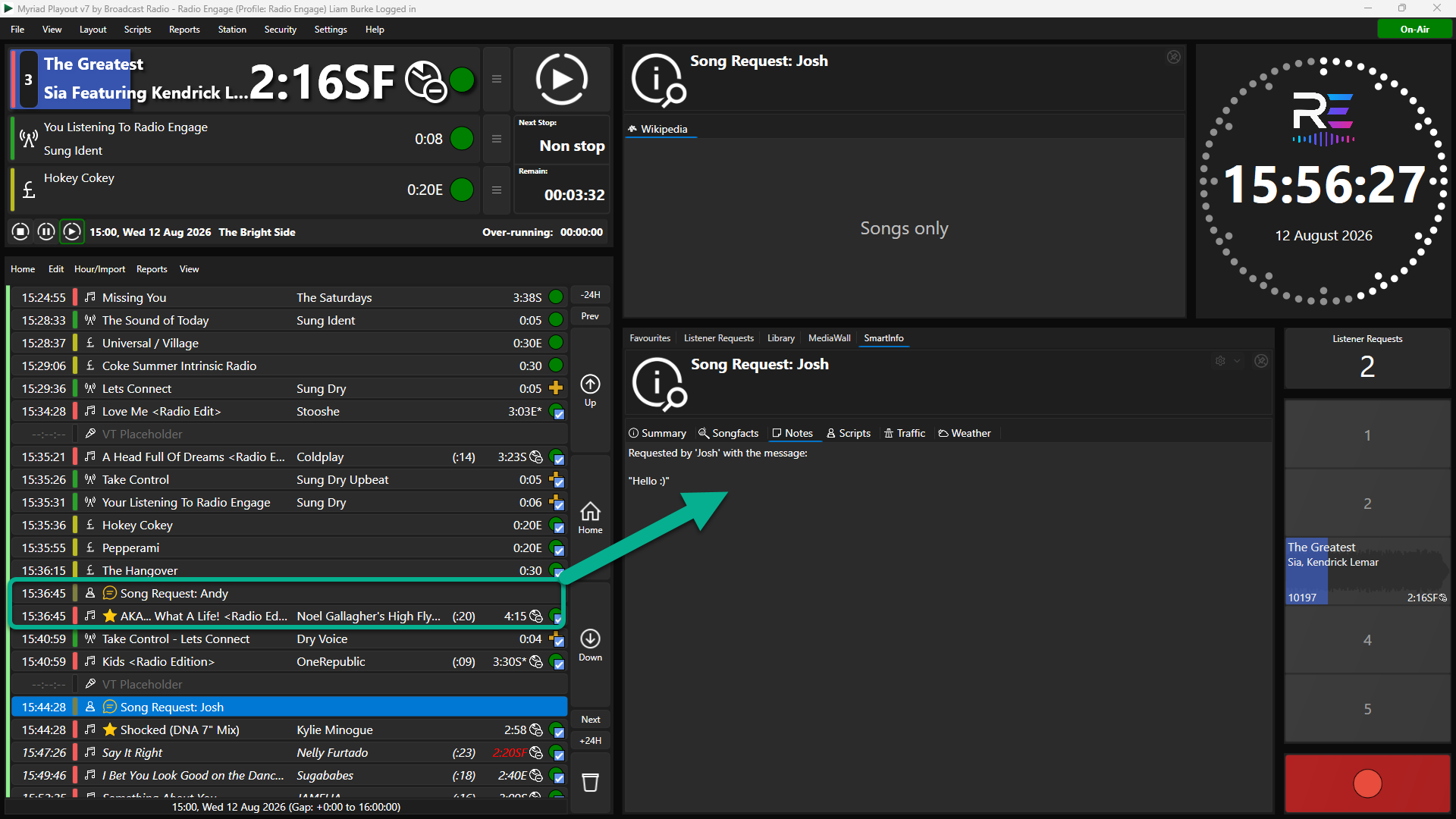
A listener’s message is added to the Log as a Script item and is available to the presenter through SmartInfo.
A more accessible route to meaningful interaction
The real advantage of Listener Requests is not simply that someone can choose a song. It is that the complete journey—from a controlled public catalogue to the presenter’s live workflow—is part of the same connected platform.
That removes much of the integration work and platform switching that has traditionally put sophisticated request systems beyond smaller stations. At the same time, larger broadcasters retain the curation, approval, scheduling and compliance controls they need.
By making listener participation easier to offer and easier to manage, Myriad 7 helps stations use one of radio’s greatest strengths: the sense that a real person is listening, responding and sharing the moment with the audience.
What you need
Listener Requests requires:
On Premise Customers
- Myriad Playout v7.1 or higher
- Myriad Anywhere Pro
- BR Web Player (with optional Website CMS and Mobile Apps)
Myrid Cloud Customerss
- Myriad Cloud Standard (or higher)
The Broadcast Radio Web Player is included with Broadcast Radio streaming, while the Broadcast Radio Website CMS and mobile apps provide additional optional listener touchpoints.
For the full configuration process, including connection, catalogue rules, request limits, Clock setup and testing, refer to the Listener Requests step-by-step help guide.
https://help.broadcastradio.com/en/support/solutions/articles/101000592042-setting-up-using-listener-requests