From planning to listening with Broadcast Radio
Introduction
A radio station is a chain of decisions. The music you schedule, the way presenters prepare, the news you cover and the places listeners find you all shape the station they hear.
When every part of the operation lives in separate systems, someone has to keep the information in step, move content between tools and work out which supplier to call if something goes wrong. For a busy team, that is time that could be spent making better radio.
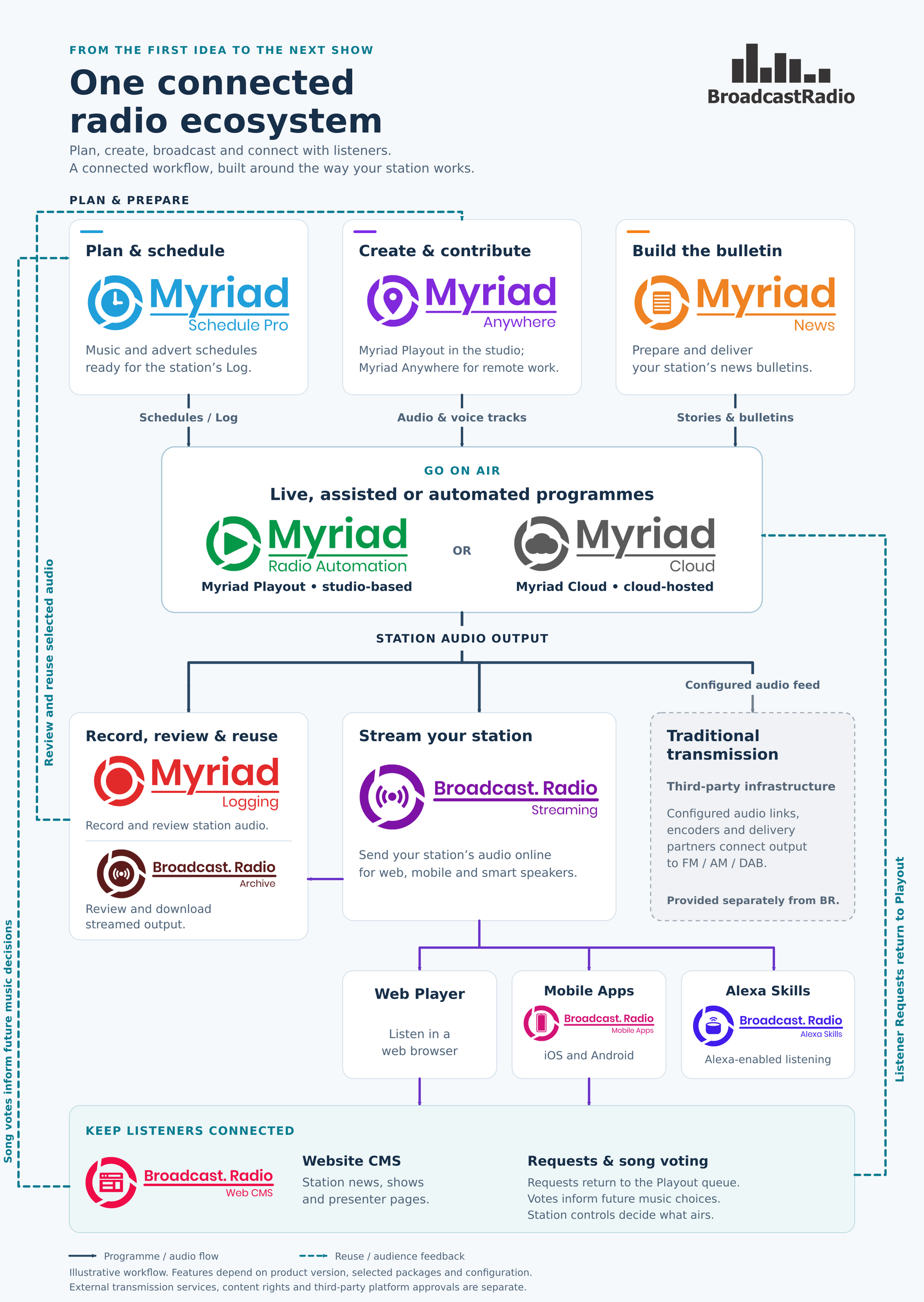
At Broadcast Radio, we build products around that complete journey. From planning a programme to delivering it and hearing back from your audience, our ecosystem brings the key stages together under one roof. You can choose the services your station needs, with software designed to work together and a team that understands how the pieces fit.
Here is what that looks like in everyday radio.
Start with a schedule that reflects your station
The schedule is where a station's sound takes shape. Music policy, artist separation, specialist programmes, station imaging and the rhythm of an hour combine to form a practical, repeatable plan for your station output.
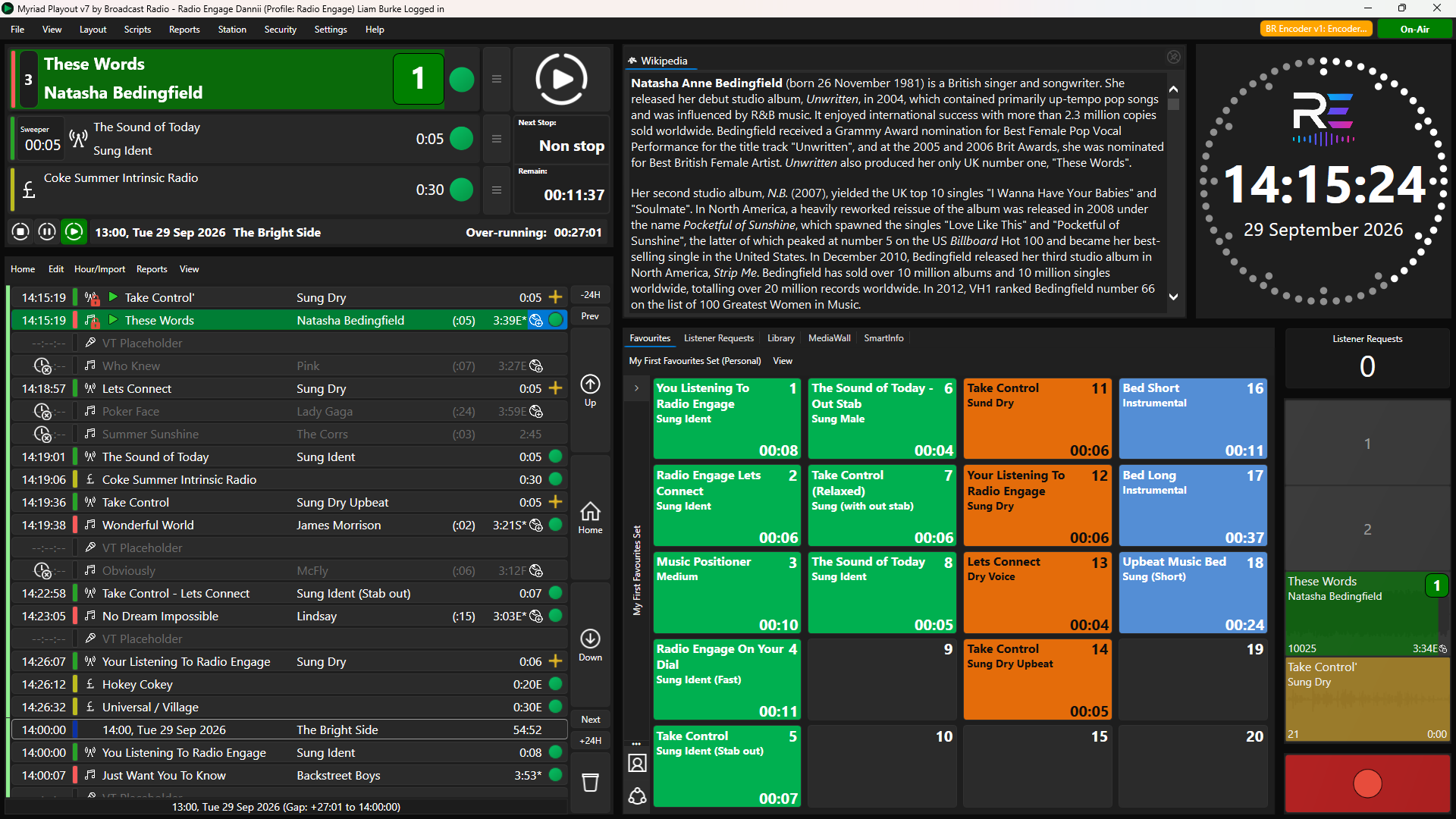
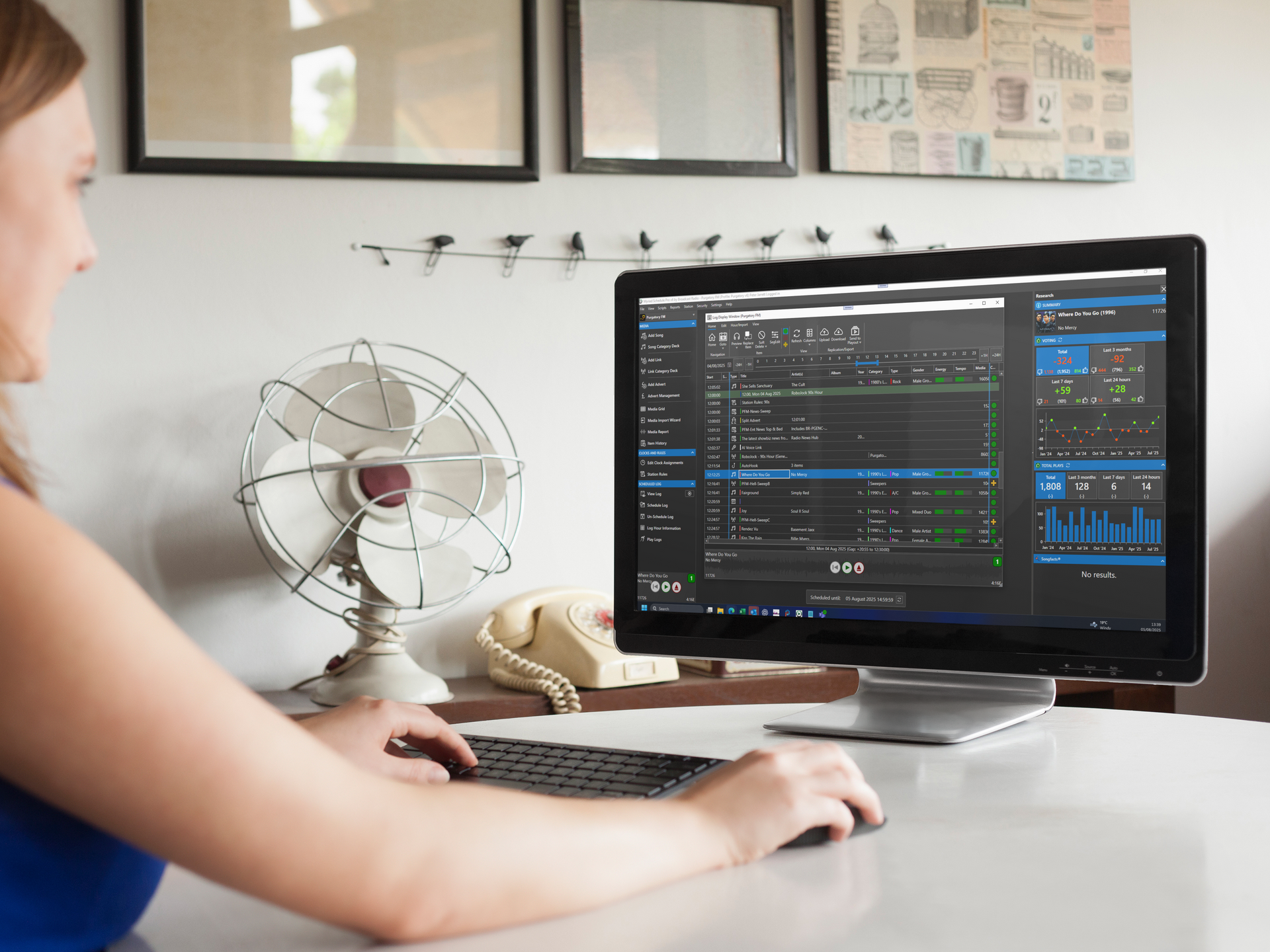
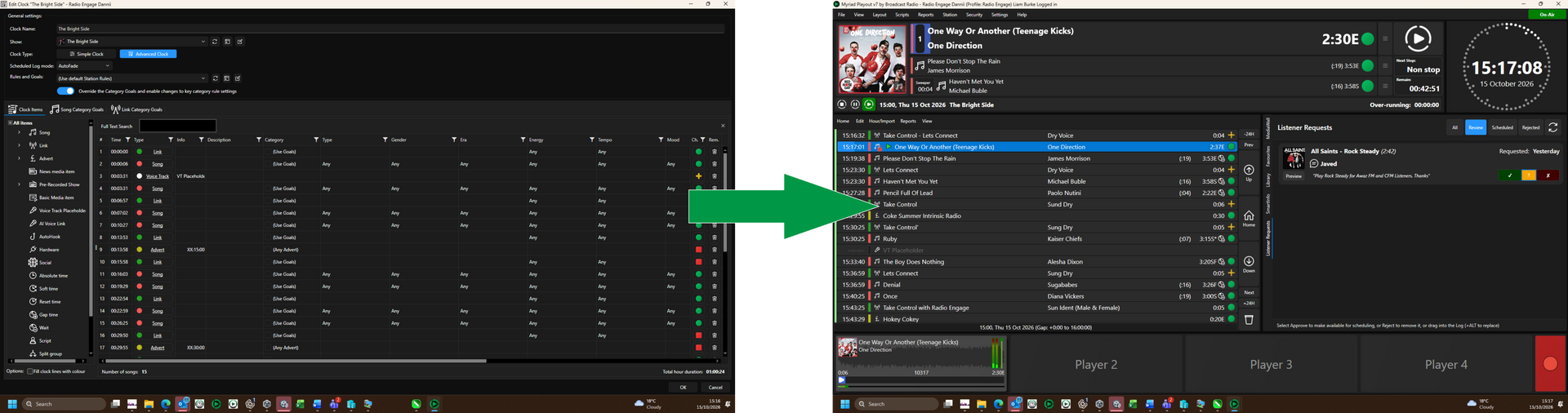
Myriad Schedule is built directly into Myriad Playout offering a complete and integrated solution for station scheduling. You can work with energy, tempo and mood, set artist and title separation, and build clocks around the structure of different programmes. Visual analysis helps you examine the result and refine the sound of an hour.
For stations that need more advanced control, Myriad Schedule Pro adds more detailed scheduling rules (over 100 options), additional classification options and deeper analysis & reporting.
Scheduling uses the same media as playout, so adding a new track does not mean maintaining a second library. Shared knowledge of the station's clocks and rules also supports replacement suggestions and automatic filling of gaps in the Log. The programming work you do carries through into the tools used on air.
Supported third-party scheduling workflows remain an option too, alongside Schedule Pro exports for supported alternative playout systems.
Let people contribute from wherever they work
Radio is made by teams with different working patterns. A breakfast presenter may be in the studio every morning, while a specialist presenter records links at home and a programme manager checks tomorrow's Log between other commitments.
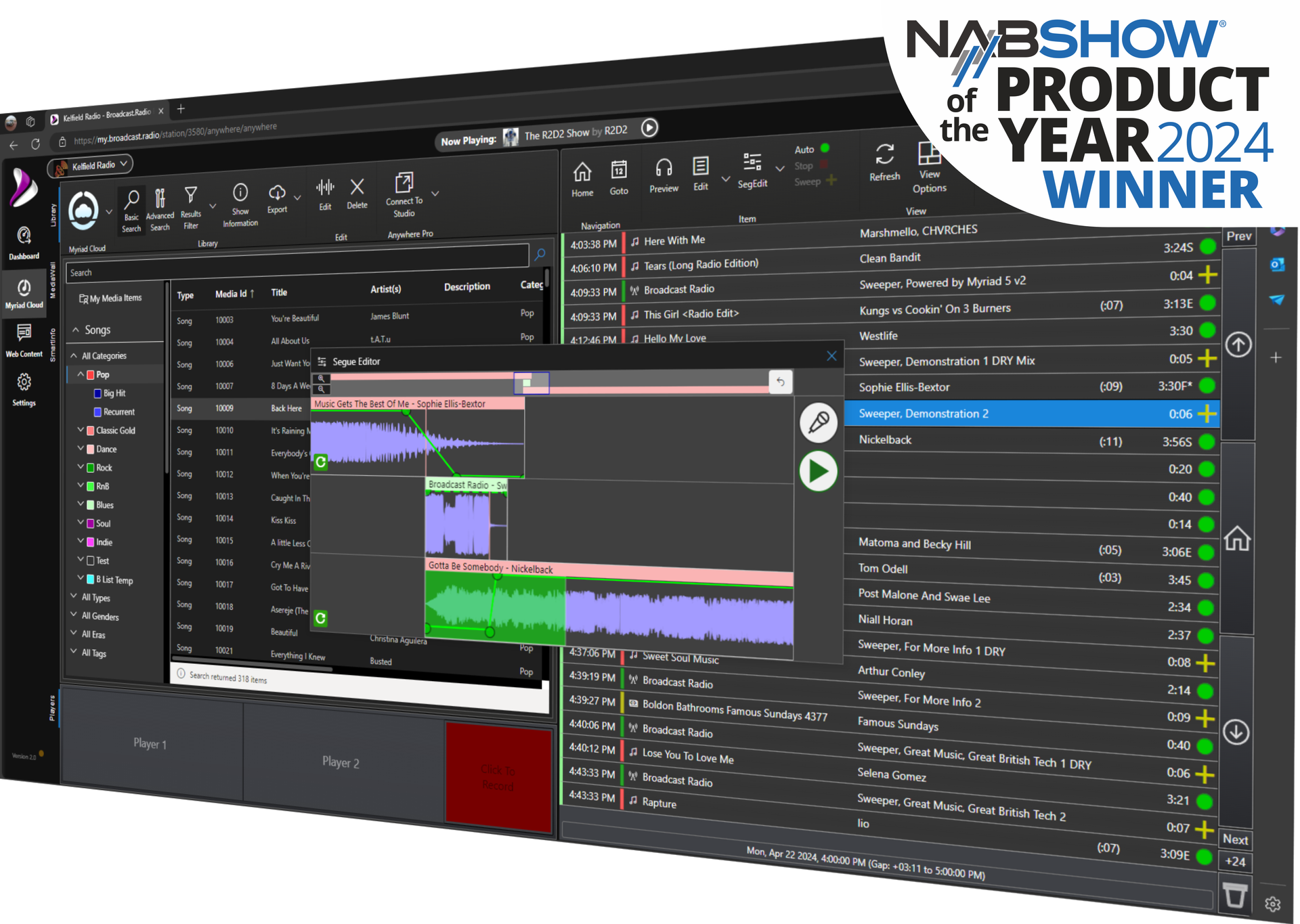
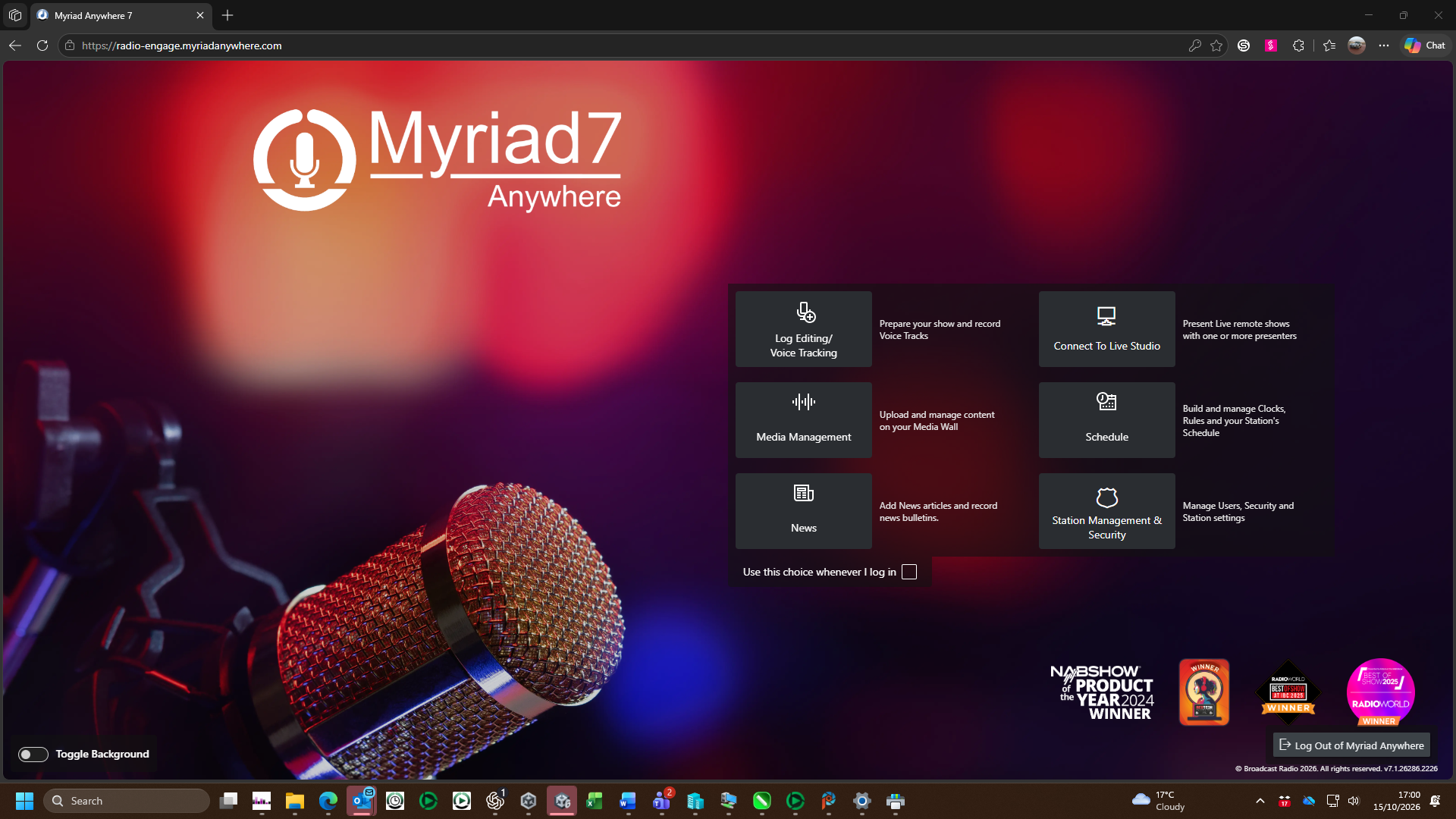
Myriad Playout and Myriad Anywhere support those different ways of working. In the studio, presenters have their Log and media to hand. Through a web browser, Anywhere provides tools for remote Log and segue editing and voice tracking, with further media management and live-control capabilities available through Anywhere Pro.
A voice-tracked link can be recorded in context: hear the end of the outgoing track, record the link, preview the next track and adjust the timing before saving it into the Log. The presenter is working with the programme listeners will hear, rather than sending a collection of recordings for someone else to assemble.
That is useful whether the contributor is a regular presenter working from home or someone preparing a specialist show around another job. Each person can have the tools appropriate to their role.
Choose how and where your station plays out
Some stations want their main playout system in a physical studio. Others want to run from the cloud, with presenters and managers connecting from different locations. Many need to accommodate a mixture of live programmes, voice-tracked shows and automated hours.
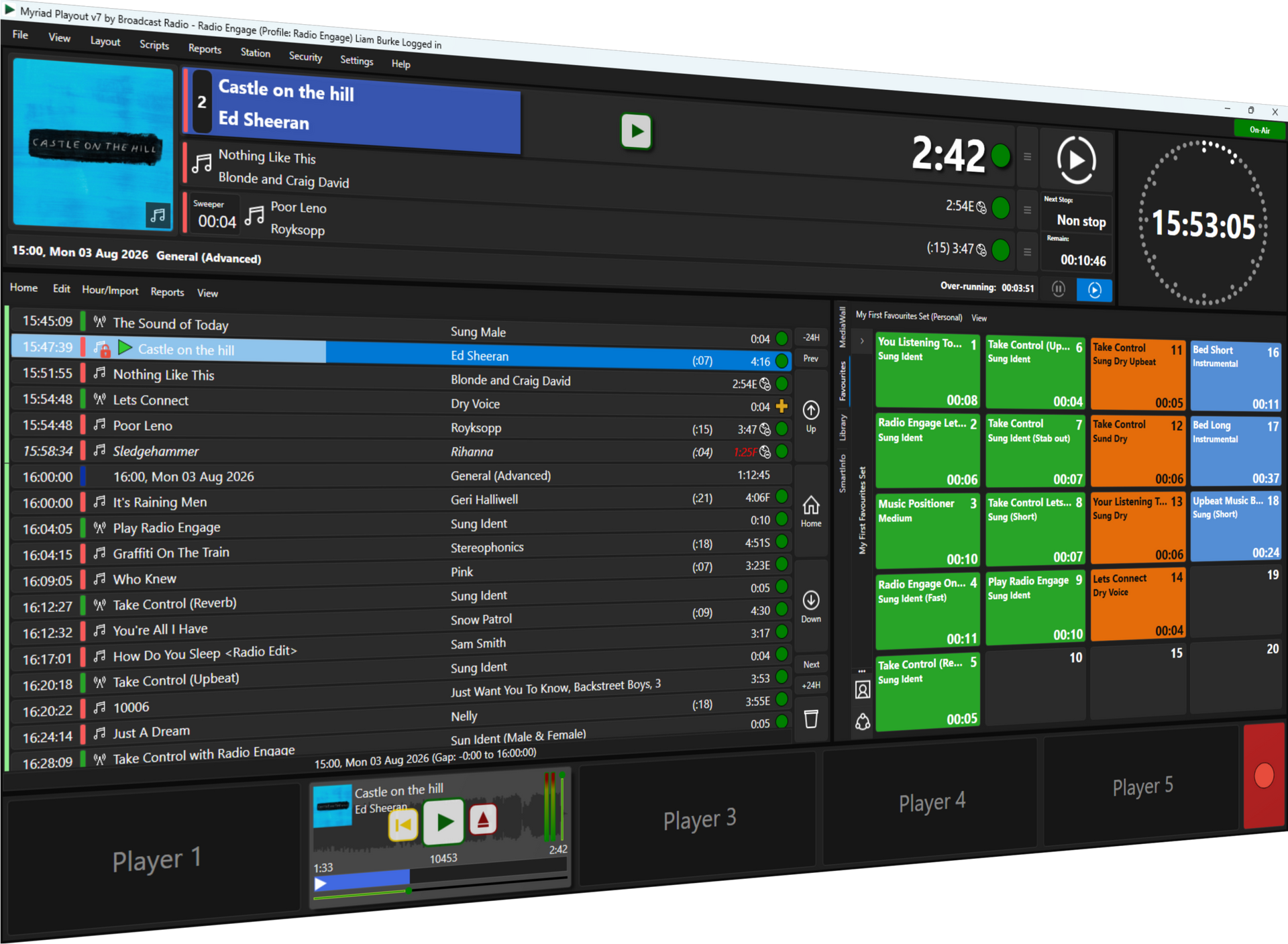
Myriad Playout supports live studio operation and unattended automation. Myriad Cloud runs the playout engine in the cloud, with browser-based management and several ways to contribute. Depending on the service selected, presenters can voice-track programmes, send a complete live programme stream or use BR Live for interactive live presentation.
Hybrid workflows can connect a physical studio with cloud playout, synchronising content, schedules and settings and bringing live studio shows into the cloud output. A station can retain a familiar place to make live radio while using cloud services elsewhere in the operation.
The practical question is how you want to make your programmes and where your people will be. Looking at scheduling, contribution and playout together helps you choose a setup that fits.
Bring the newsroom into the same workflow
News has its own pace and its own production needs. Stories develop, scripts change and a bulletin has to be ready for a particular point in the hour.
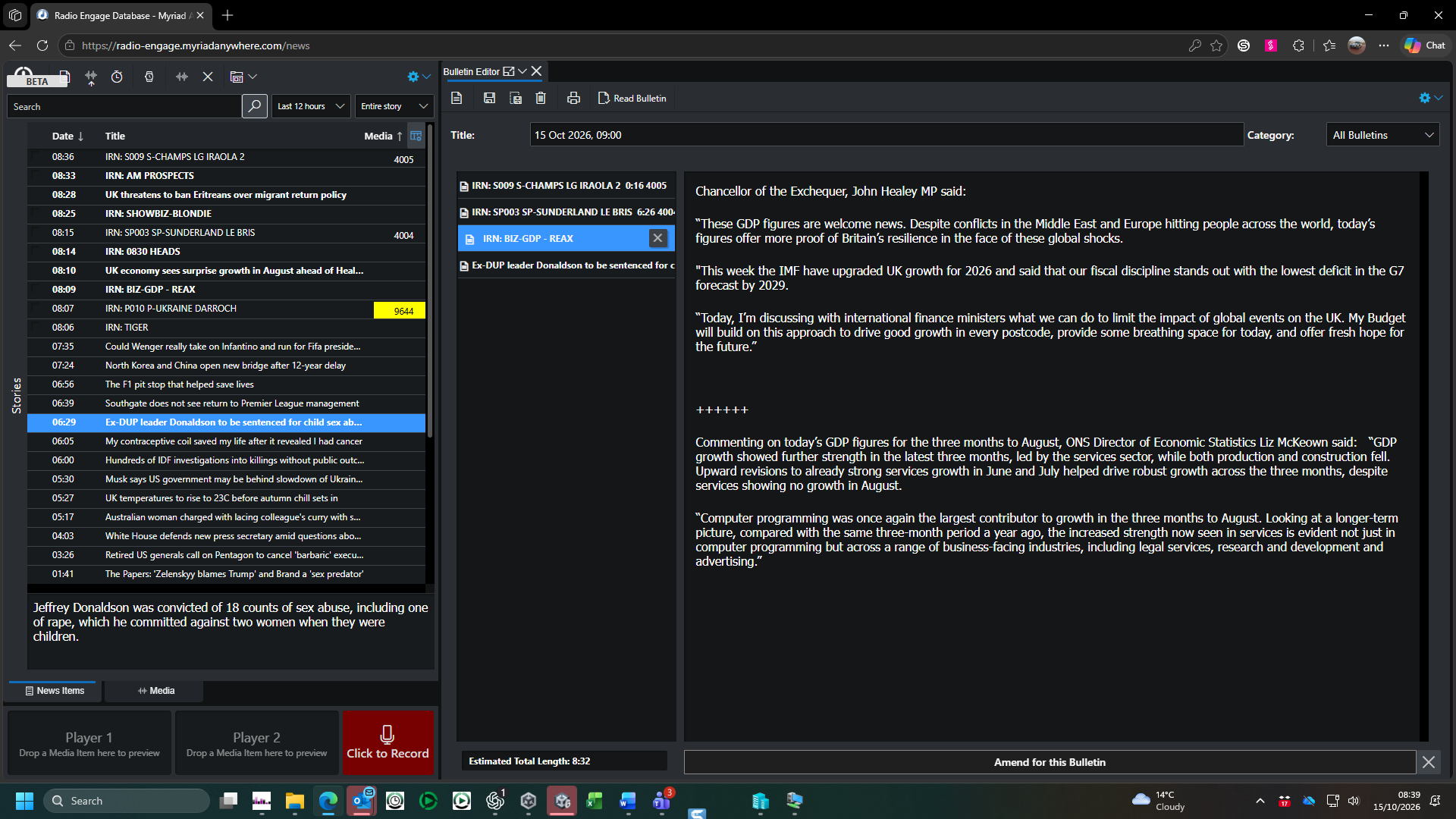
Myriad News lets journalists prepare stories and bulletins in a browser, combining original reporting with material brought in through News Capture. Stories can contain text, audio and images. Bulletins can then be read live or recorded in the browser, with recordings able to upload automatically to Myriad Playout.
That gives a journalist a practical route from the raw material to the finished bulletin. The editorial decisions stay with the newsroom, while the connection to playout takes care of moving the recorded result into the broadcast workflow.
This is also why it helps to consider news alongside the rest of the station. A bulletin has to fit the programme around it, whether that hour is being presented live or running through an automated schedule.
Keep a record and make more of your audio
Once something has aired, there are still useful things to do with it. A programme manager may want to review a show. A presenter may need to hear how a particular link worked. A strong interview may deserve another outing or a place in the station's wider content output.
Myriad Logging provides on-premises, multichannel audio and metadata recording, with tools to review and extract material. BR Archive records a station's streamed output in the cloud, where the team can browse recordings, find material and download it for review or further production. With the appropriate metadata, recordings can be explored by show or individual item as well as date.
Keeping an accessible record supports coaching and review. It also makes it easier to find an interview worth revisiting, download the audio and prepare it for another programme or a different outlet, subject to the appropriate permissions and music rights.
Reach listeners on the platforms they use
The programme also needs a route to the audience. Broadcast Radio Streaming provides digital delivery, with the BR Web Player and options for mobile apps and Alexa skills giving listeners several ways to tune in.
The connections carry more than the audio experience. Myriad can supply now-playing information for digital displays, while the Website CMS brings together presenter profiles, programme pages and schedules. Configured schedules can appear on the website, web player and supported apps; track information and artwork help listeners put a name to what they are hearing.
Traditional broadcast distribution remains part of the picture too. Playout audio can feed external transmission infrastructure as well as digital destinations. Broadcast Radio does not supply the transmitters themselves; the appropriate audio outputs and distribution connections are planned around the station's requirements.
Together, those services help a listener move from discovering a programme to listening and finding out more about the people and music on air.

Give the audience a way back into the programme
A station's digital presence can also bring listeners into the conversation, connecting the website, player and supported apps with the people making the programme.
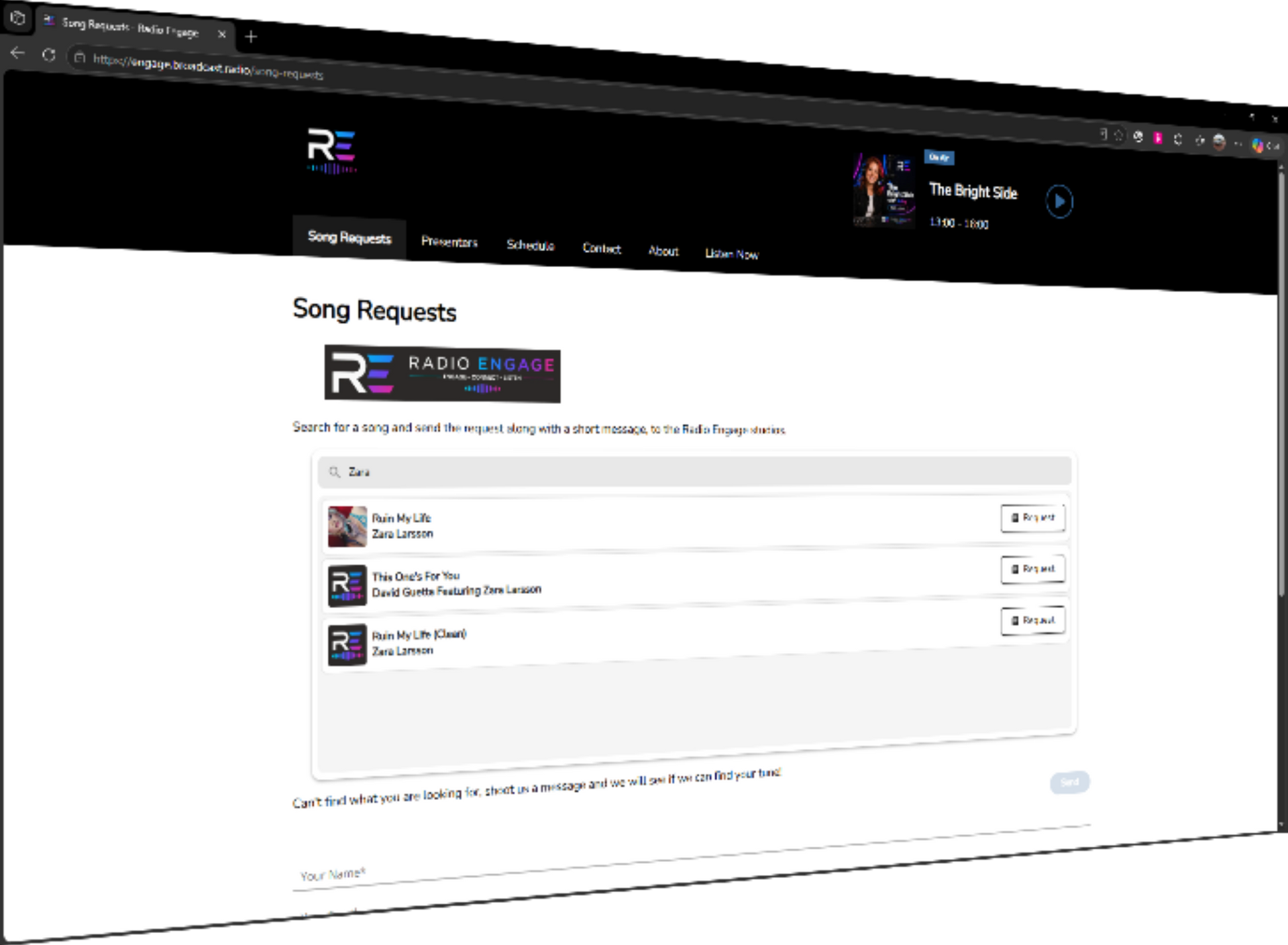
Listener Requests in Myriad 7.1 is a good example. Stations can make selected parts of their music catalogue available in the BR Web Player, then bring requests into the playout workflow for review. Presenters can place requests manually, approve them before automatic placement, or let suitable requests be placed automatically in eligible Log slots.
The station controls what can be requested and how requests fit the programme. Listener messages can also become Script items in the Log, with their details visible to the presenter in SmartInfo.
Song voting provides another source of feedback. Voting summaries can inform presenters and future music decisions, helping the team understand how listeners respond. The appropriate software versions, licences and services are needed for these audience features.
One team with a view of the whole station
There is an everyday benefit to bringing these stages together: the team helping you can understand the whole workflow.
When scheduling, playout, remote contribution, news, logging and digital services come from one supplier, a conversation about a change can take account of the systems around it. Support, documentation and training from Broadcast Radio help the people using those tools build their knowledge too, with arrangements to suit the products and package selected.
That is what being a one-stop shop for radio means to us: professional tools designed to work together, and people who can help you put them to work.
You can start with the part of your operation that needs attention now and plan the wider journey from there. Whether you are building a new station, moving to a different way of working or improving an established service, talk to Broadcast Radio about how the pieces could fit your station.