Silent Night? Not on Our Watch: The New (and Free!) Audio Monitor Update
Dead air is the universal nightmare of every radio broadcaster. Whether you are running a small community station or a large-scale commercial operation, that sudden, unexplained silence is more than just a technical glitch: it is a threat to your brand, your listener's trust, and your advertising revenue.
At Broadcast Radio, we have spent 25 years building the tools that keep your station on-air and sounding professional. We understand that monitoring your output is just as critical as the playout itself. That is why we are excited to announce a major update to our Audio Monitor application.
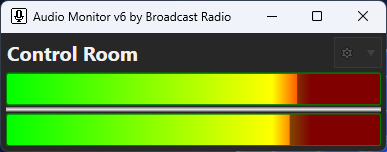
This powerful utility is designed to give you peace of mind by providing constant, reliable surveillance of your audio levels. Best of all, it remains a totally free addition to your professional radio broadcast software toolkit.
Complete Monitoring Versatility
You need a monitoring solution that adapts to your specific studio environment. Audio Monitor is built to be flexible, allowing you to keep a watchful eye (and ear) on multiple points in your signal chain.
The application allows you to monitor:
- Audio Inputs: Monitor live feeds from your mixing console or external hardware.
- Audio Outputs: Check the direct output from your playout system or sound cards.
- Remote Applications: Connect to other instances of Audio Monitor across your network.
- Audio Streams: Monitor web streams directly to ensure your online audience is receiving a clear signal.
By monitoring different points in your chain, you can pinpoint exactly where a failure occurs. If your console output is fine but your web stream is silent, you know the issue lies in your encoder or internet connection rather than your core playout & automation system.
Intelligent Silence Detection
Silence detection is about more than just knowing when the audio stops. It is about defining what "silence" actually means for your station. Every radio studio has a different noise floor, and every format has different requirements for dynamic range.
The Audio Monitor application features highly configurable silence detection:
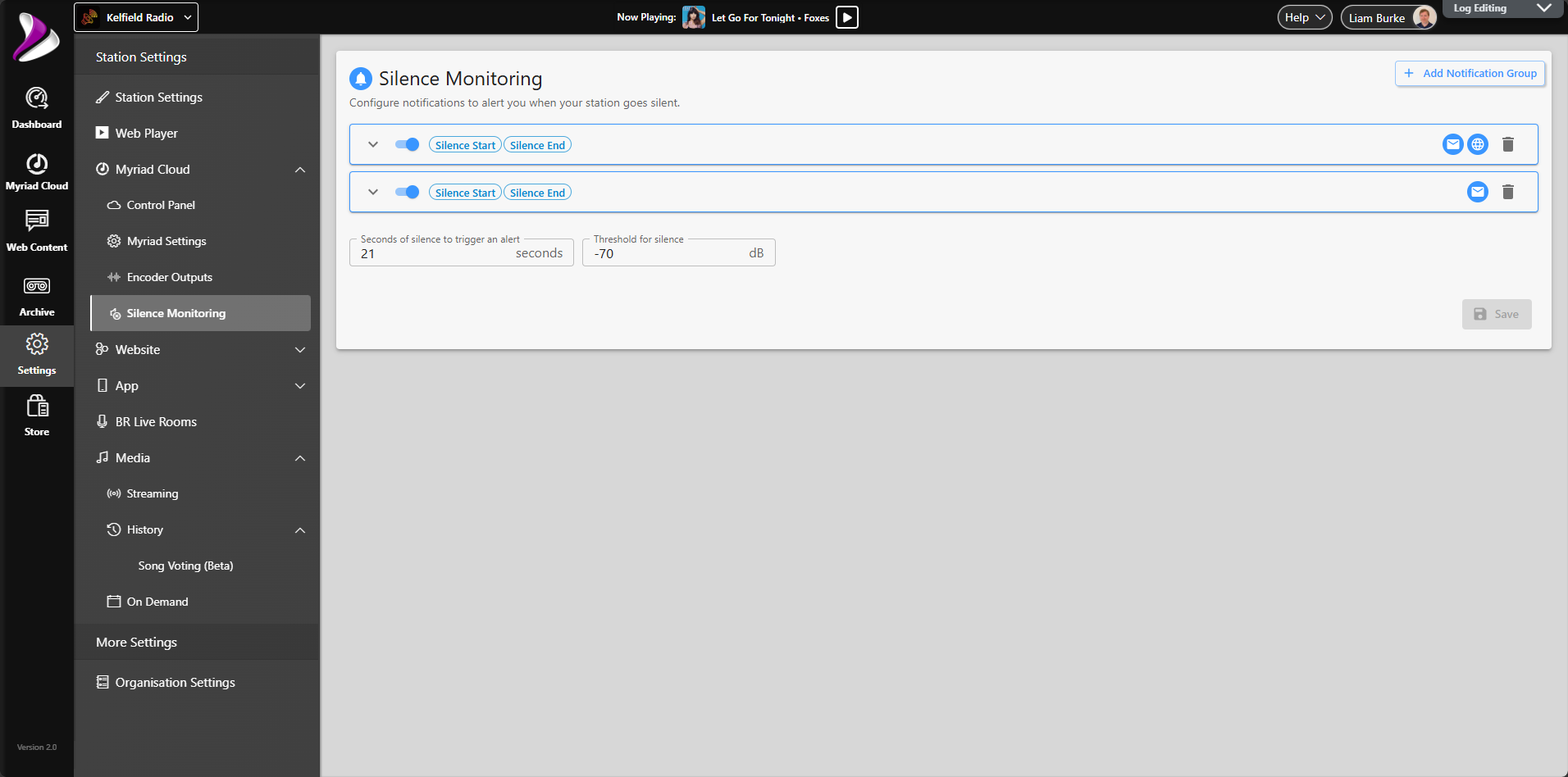
- Threshold Settings: Define the exact decibel level that triggers a silence event.
- Duration Controls: Set how long the audio must remain below the threshold before an alarm is raised.
- VU Data Display: High-resolution VU meters provide a constant visual confidence feed for your staff.
- Start / End Alerts: Receive notifications both when silence is detected and when the audio successfully returns.
Setting these parameters correctly prevents "nuisance trips": those annoying false alarms caused by a newsreader taking a breath or a particularly quiet intro to a song. With Audio Monitor, you have full control over the sensitivity of your alerts.
The Big Update: Broadcast.Radio Portal Integration
The most significant addition to this latest version is the seamless integration with your Broadcast.Radio portal account. This changes the game for how you handle notifications.
Previously, setting up email alerts often required configuring a local SMTP server: a task that can be technically frustrating and prone to security hurdles. With the new update, you can connect your Audio Monitor applications directly to your Broadcast.Radio account to utilize our built-in Notification Groups.
This integration unlocks a suite of powerful notification options:
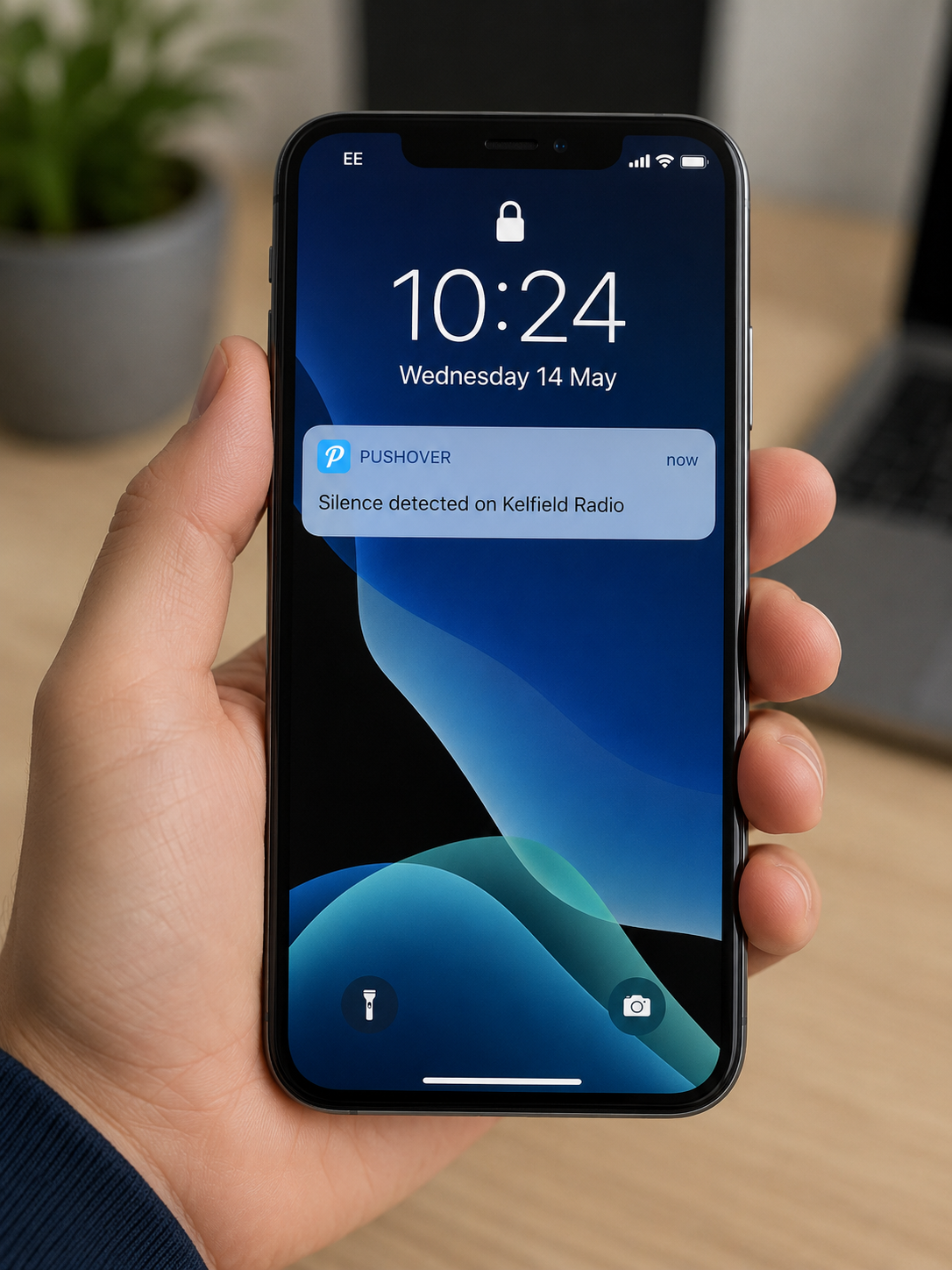
- Pushover Notifications: Get instant alerts directly on your smartphone or tablet.
- HTTP Methods (Webhooks): Trigger external actions or custom scripts when an event occurs.
- Group Management: Send different types of alerts to different team members based on the time of day or event type.
- Zero SMTP Configuration: No need to manage your own email server or deal with "less secure app" settings in your email provider.
By leveraging the Broadcast.Radio portal, your monitoring setup becomes more robust and significantly easier to maintain. It is one less thing for your engineering team to worry about.
Why Every Station Needs Professional Monitoring
In a modern radio environment, you are often managing multiple platforms simultaneously. Between FM/AM transmitters, DAB digital radio multiplexes, and various web streams, the complexity of your radio broadcasting equipment can be overwhelming.
Effective monitoring provides several key benefits:
- Revenue Protection: Ensure that every paid commercial spot is delivered without interruption.
- Regulatory Compliance: Avoid the scrutiny that comes with prolonged periods of "unmodulated carrier."
- Listener Retention: Professionalism is measured by consistency; dead air is the fastest way to lose an audience.
- Remote Management: Stay informed about your station's health even when you are away from the studio or working from home.
Audio Monitor acts as your digital eyes and ears 24/7. Whether you are utilizing Myriad Playout & Automation, Myriad Cloud or a 3rd party Radio Automation system, adding this utility to your workflow ensures that your output is always being verified.
Best Practices for Setup
To get the most out of Audio Monitor, we recommend following these industry best practices:
- Monitor Off-Air: Whenever possible, monitor the actual output that your listeners hear (e.g., the web stream or a tuner feed) to verify the entire signal chain.
- Staged Alarms: Use the notification groups to alert local staff immediately for short silence events, but escalate to senior engineers if the silence persists for a longer duration (using multiple Audio Monitor instances).
- Test Regularly: Periodically lower your faders in a controlled environment to ensure your alerts and notification groups are firing correctly.
- Combine With Audio Logging: Combine with audio logging logging solutions ( Myriad Logging or BR Archive) to identify recurring technical issues or patterns in your equipment failures.
Get Started Today
We believe that high-quality monitoring should be accessible to every broadcaster. That is why the Audio Monitor application is available as a free download for everyone, not just Myriad users.
Whether you are a community station operating on a tight budget or a commercial network looking for a reliable utility for your transmitter sites, Audio Monitor is built to serve you.
- Download the App: You can find Audio Monitor in our Utilities & SQL Installers section.
- Read the Documentation: Detailed setup guides and feature explanations are available in our dedicated help section.
Your station deserves the best protection against silence. Download the latest update today and connect it to your Broadcast.Radio portal to experience the most streamlined monitoring workflow we have ever offered.
If you have questions about how to integrate Audio Monitor into your existing studio setup, send us a message or check out our community forums. We are here to help you stay on the air.