Take Control of Myriad 7 with Stream Deck
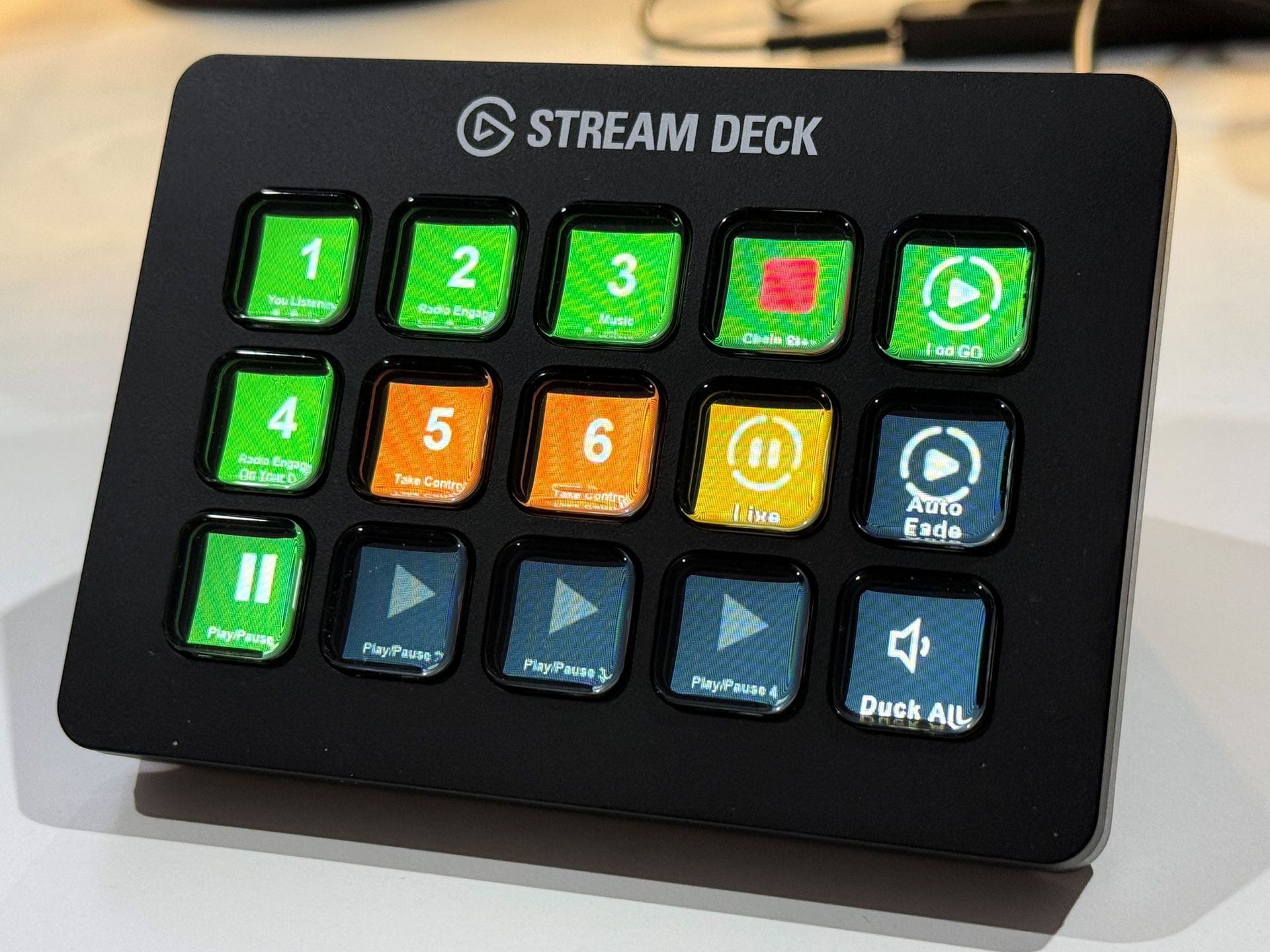
Myriad Playout 7.1 introduces direct support for Elgato Stream Deck, giving presenters and operators another flexible way to control the features they use most often.
Stream Deck provides a bank of customisable physical buttons, each with its own display. With the new Myriad Playout 7 plugin, those buttons can be assigned directly to Myriad actions, creating a control layout tailored to the way you work
Put your favourite Myriad controls at your fingertips
The Myriad 7 Stream Deck plugin supports a wide range of actions, from everyday playout controls through to more specialised studio functions.
For example, you can create buttons to:
- Control Media Players – Play, pause, cue, fade, mute or duck individual players.
- Trigger Favourites – Play or cue frequently used jingles, sweepers, sound effects or other Favourite items.
- Play specific Media Items – Assign a Media ID directly to a button for instant access.
- Control the Log – Trigger Go, jump the Log view back to Now, change Chain settings and access other Dashboard actions.
- Change Log Mode – Switch between Standby, Live and AutoFade.
- Control the Recorder – Start, resume, save and close recordings.
- Control the Segue Editor – Open or close the Segue Editor and step through its controls.
- Duck all players – Instantly lower all Media Players to their configured duck level.
Buttons can also have their own titles and icons, making it easy to build a Stream Deck layout that makes sense at a glance. Favourite buttons can even use colours based on the Media Item, Category or Item Type.
Build a control surface around the way you work
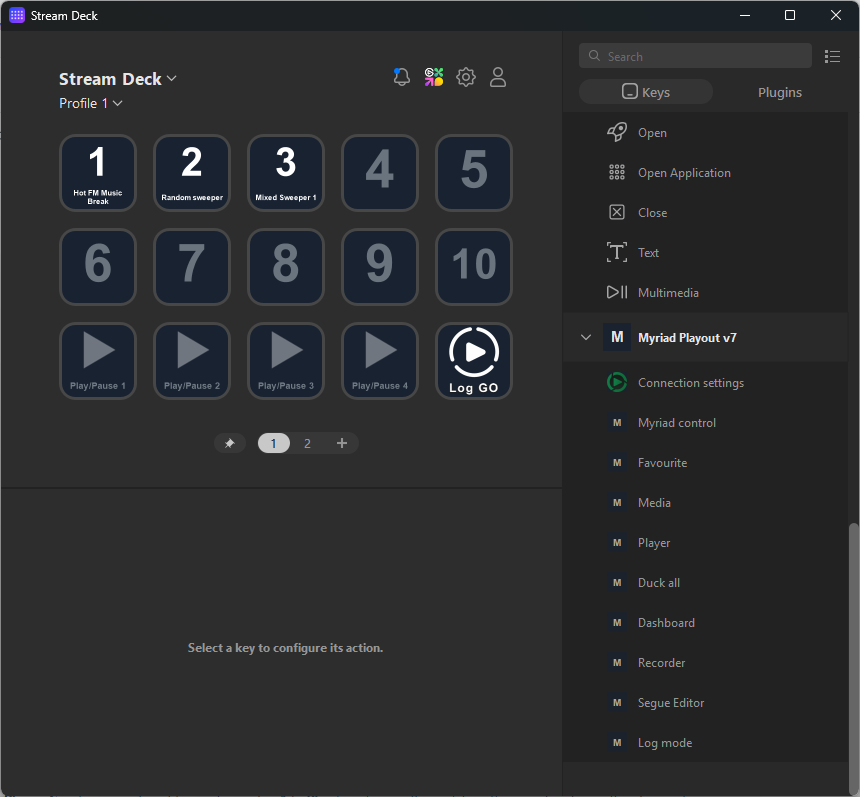
The real advantage is flexibility. A presenter could create a simple layout containing their most frequently used Favourites alongside Go, player controls and Log Mode, while a production workstation could have a completely different layout focused on recording and editing.
It also means commonly used Myriad functions can be placed on dedicated physical buttons without requiring a traditional broadcast control panel or remembering keyboard shortcuts.
Stream Deck doesn't even have to be connected to the computer running Myriad. The plugin can be configured to control Myriad Playout 7 on another PC across the network, providing the Myriad computer is configured to accept the required connection.
Getting started
Stream Deck integration is available in Myriad Playout 7.1 and later. You'll need the Elgato Stream Deck software and the Myriad Playout 7 Stream Deck plugin, then you can simply drag Myriad actions onto buttons and configure what you want each one to do.
For full installation instructions, configuration details and a complete list of the available actions, see our Setting Up Stream Deck For Myriad 7 help article.